 Making ads
How to Make Ads with AI: 5 Steps and Free Tools Compared
Make ads with AI in 5 steps. Compare free options like ChatGPT, Canva and CapCut, and learn where AI still gets ads wrong.


Written by Genly's AI team, reviewed by Marlon Bonink
· 8 min read

You need an ad this week. There is no designer, a freelancer will often charge a few hundred dollars for one set of creatives (our estimate based on typical rates, so get your own quote) and your own attempts in Canva look like a flyer from 2012. With AI you can go from a product page to an image, a video and the copy in about an hour. As long as you know where AI is weak.
Short answer: Yes, you can make ads with AI for free. The fastest route is ChatGPT for hooks and copy plus Canva for visuals and layout. Always check logos, on-image text and hands yourself.
What AI does well and badly in ads
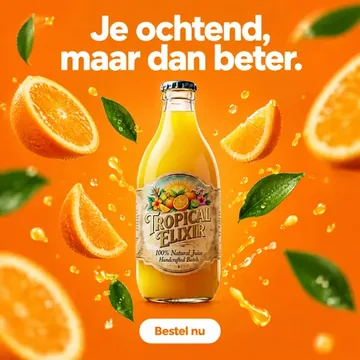
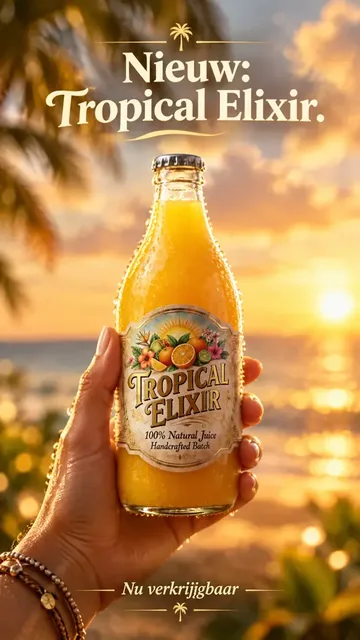
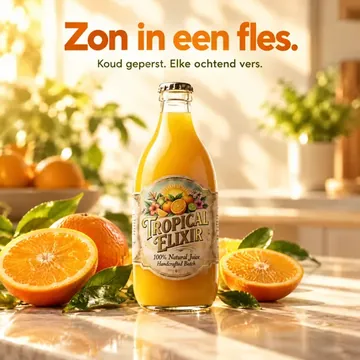
The mistakes are predictable. Ask for a water bottle in a car cup holder and the mood usually looks right, but the label gets invented letters and any hand touching the bottle grips it oddly. Here is what to watch.
| Element | What works | What to watch |
|---|---|---|
| Product in a new scene | Lifestyle shots, backgrounds, seasonal themes | Shape or label can shift slightly |
| Logo | Almost never right when generated | Add your real logo afterwards |
| Text in the image | Short words often work | Typos and invented letters; add text in an editor |
| Hands and faces | Faces in close-up are often convincing | Hands holding a product: extra fingers, odd grip |
| Ad copy | Ten hooks and variations in seconds | Generic without your USPs and proof |
| Brand style | Works when you feed it colors and tone of voice | Without brand input it looks like stock photography |
How to make an ad with AI in 5 steps
Step 1: pick your input
Choose your product page (URL), a real product photo or a short description. A real photo works best for visuals, because the model does not have to invent your product. A URL is better for copy: prices, benefits and reviews are already on it.
Step 2: write the hook first
The first second or line decides whether people keep scrolling. Ask for ten hooks across three angles: problem ("Your bottle leaked in your bag again?"), outcome ("Cold water for 24 hours, even at the beach") and proof ("Join 4,000 customers who switched", only if that number is real). Pick three.
Step 3: use 4:5 and 9:16
For Meta, create at least 4:5 (1080 x 1350 pixels) for the feed and 9:16 (1080 x 1920) for Stories and Reels. In 9:16, keep text away from the top and bottom edges, where the profile name and buttons sit. Generate each format separately instead of cropping.
Step 4: write the ad copy
According to the Meta Ads Guide, people see roughly the first 125 characters of your primary text before the "see more" cut (checked on [date]). Put the hook and the main benefit in that first line, followed by one piece of proof (a review, a guarantee) and one clear call to action.
Step 5: make three variations and test
Create three variations that differ on one thing and run them side by side for a week on the same budget. As an example: $10 to $20 a day per variation. That is not a benchmark; work out what you need to get enough clicks. Judge results on click-through rate and cost per purchase, not likes.
Free AI ad makers compared
The limits below come from the pricing pages of OpenAI, Canva and CapCut, checked on [date]. They change often, so check them before you start.
| Tool | What you get for free | Best for | Limitation |
|---|---|---|---|
| ChatGPT | Free account with a limited number of images per day | Hooks, copy, static images | Limits change, on-image text and logos often wrong |
| Canva Free | Templates, basic AI tools, limited AI generations | Clean layouts and on-image text | Higher AI limits and Brand Kit are in Pro |
| CapCut | Video editor with auto captions | Editing 9:16 videos | Some AI features and assets are paid |
Making an ad with ChatGPT
ChatGPT is the easiest place to start. A prompt that works: "You are a copywriter for a DTC brand. Product: [name], price [$x], audience [y]. Write 10 hooks for a Meta ad, max 12 words each, split across problem, outcome and proof." Paste your product page below it. Then generate an image, but add the text and logo yourself in Canva.
Not free: a trial of an all-in-one tool
Tools like Genly are not free, but offer a trial. Genly gives you 3 days with 50 credits, enough for example for eight 12-second Sora 2 videos (6 credits each). What to know before you start:
| Genly | |
|---|---|
| Strengths | Website scan for brand style, AI UGC with personas, Sora 2, native voice-overs in one place |
| Trial | 3 days, 50 credits; after that you pay, there is no free plan to keep using |
| Cost afterwards | From €39 per month for 100 credits |
| Credits | They run out: 100 credits is just over sixteen 12-second Sora 2 clips; then you wait for next month or pick a bigger plan |
| Control | You steer with prompt, persona and script, not frame by frame; details like labels can drift |
If you want to see what it produces, start the 3-day trial and compare it with the pricing afterwards.
The test: three variations of the same product
Product: a 25 oz water bottle for $32 that keeps drinks cold for 24 hours. Three variations, each with its own hook and format, running side by side for a week on equal budgets.
| Variation | Hook | Visual | Cost in Genly |
|---|---|---|---|
| A: Static 4:5 | "Cold for 24 hours. Even on a July road trip." | Bottle in a car cup holder, summer light, price on image | 1 to 2 credits |
| B: AI UGC 9:16 | "I threw out three bottles before I found this one." | AI persona pulls the bottle from a backpack, voice-over | [X] credits for [Y] seconds |
| C: Video 9:16 (Sora 2) | "What happens when you leave ice in it for 24 hours" | Bottle on a table from morning to night | 6 credits for 12 seconds |
| Variation | Daily budget | CTR | Cost per click | Cost per purchase | What went wrong in generation |
|---|---|---|---|---|---|
| A | [amount] | [%] | [amount] | [amount] | [e.g. label altered] |
| B | [amount] | [%] | [amount] | [amount] | [observation] |
| C | [amount] | [%] | [amount] | [amount] | [observation] |
[Conclusion based on the results.] For the video variations, read the complete workflow for making AI video ads, and for variation B, see how AI UGC with a persona works.
Marketplace listings and print ads with AI
For a Facebook Marketplace or eBay listing, AI is mainly a copy assistant: give it brand, condition, dimensions and asking price and let it write a short, honest description. Use your own photos; a generated image of a used item is misleading. For a newspaper or magazine ad, get the dimensions and file specs from the publisher first, let AI write the headline and copy, and do the layout in Canva.
Frequently asked questions
Is making an AI ad really free?
Creating it can be free with ChatGPT, Canva Free or CapCut, but you will hit limits. A trial of a paid tool is temporary. If you want fresh creatives every week, you will almost always pay something. Ad spend comes on top.
Can you use AI images in Meta ads?
Yes. Meta allows AI-generated ads and offers its own generative AI tools. The usual ad policies still apply: no misleading claims, no fake before-and-after images and no real people saying things they never said.
Do you have to label an AI ad?
Meta may add an AI label itself, for example when you used its own AI tools. In the EU, the AI Act is adding transparency rules for realistic AI images of people. Never present an AI persona as a real customer giving a real review.
Who owns an ad made with AI?
Most tools assign you the rights to what you generate in their terms, but check each tool. Whether purely AI-generated work is protected by copyright is unsettled in many countries, because protection usually requires human creative choices.
Editor
Marlon Bonink
Co-founder of Genly
This article was written by Genly's AI team and reviewed by Marlon before it went live. How we work with AI: AI transparency.